
Latest Version
The EasyTAG developers
Entertainment
Linux
Free
org.gnome.EasyTAG
Report a Problem
More About EasyTAG
The Ultimate Metadata Solution: EasyTAG Audio Tag Editor
Managing a massive digital music library can quickly become a chaotic chore when files lack proper metadata. For audiophiles and casual listeners alike, the EasyTAG audio tag editor offers a robust, open-source solution designed to bring order to your audio collection. Developed by The EasyTAG developers, this utility specializes in viewing and editing tags across an impressive array of audio formats, ensuring your media player displays accurate track information, album art, and artist details.
Versatile Format Support and Database Lookup
One of the standout advantages of using the EasyTAG audio tag editor is its extensive format compatibility. Whether your library consists of standard MP3 and MP2 files, high-quality FLAC, MP4/AAC, or niche formats like Ogg Opus, Ogg Speex, Ogg Vorbis, MusePack, Monkey's Audio, and WavPack, this software handles them seamlessly. Users no longer need different tools for different extensions; everything is managed under a single, cohesive interface.
Manually typing details for hundreds of tracks is incredibly tedious. To solve this, the application features automated online database lookups. By querying remote servers, it can automatically search for album information, match tracklists, and fill in missing fields with minimal manual intervention.
Bulk Editing and Smart Renaming
For collectors with thousands of files, the bulk editing capabilities of the EasyTAG audio tag editor are invaluable. You can select entire directories to apply uniform changes—such as updating the album name, genre, or release year—in a single action. Additionally, the software features powerful renaming tools that allow you to restructure physical file names and directory layouts based on the embedded tag data, or vice versa.
Who Benefits Most from This Utility?
- Archivists and Collectors: Those who demand pixel-perfect metadata, structured directory paths, and embedded album art for rare or self-ripped audio collections.
- Linux and Windows Users: Operating on a clean, straightforward GTK+ interface, it provides a native, lightweight experience on Linux platforms while remaining accessible to Windows users.
- Playlist Creators: The built-in playlist generator helps you build and export custom tracklists on the fly as you organize your files.
Clean, Functional GTK+ Interface
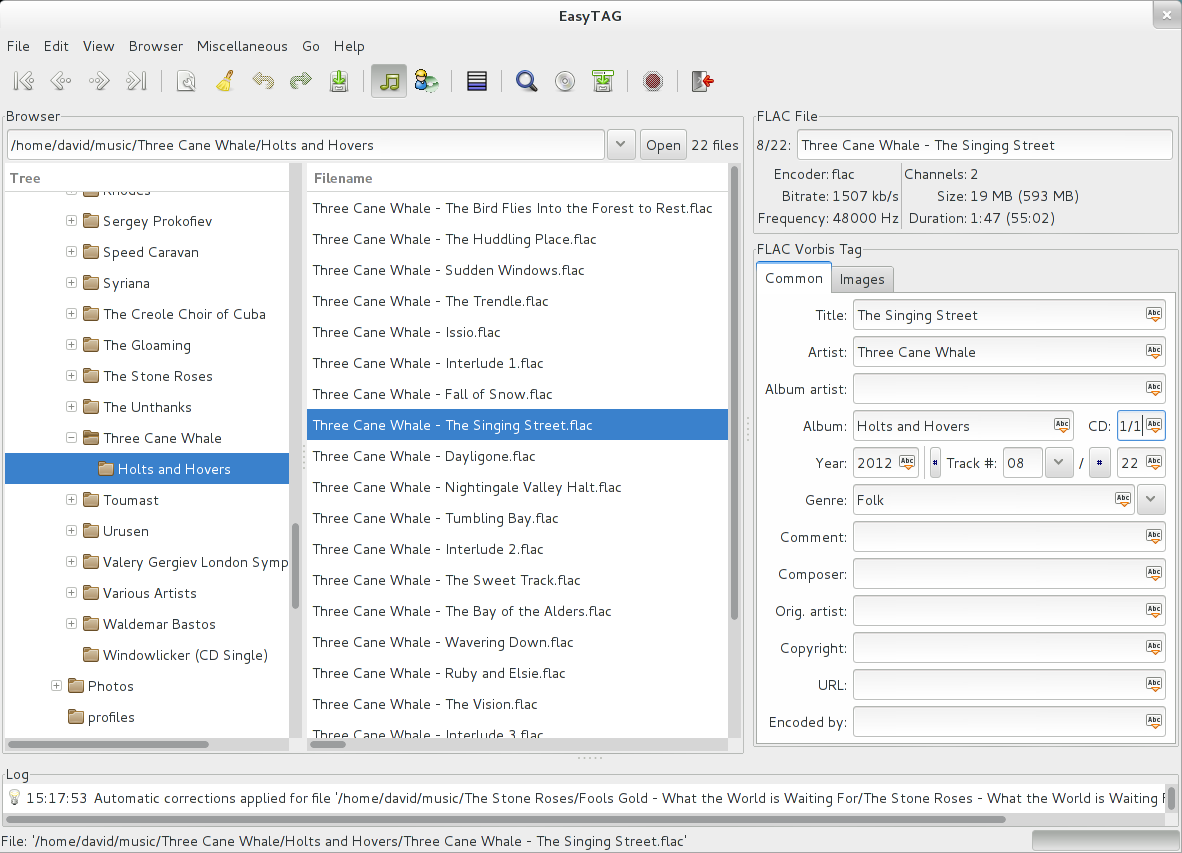
Rather than distracting users with modern, bloated design trends, the program relies on a highly functional GTK+ layout. The tree-view navigation makes exploring your local storage intuitive, while the multi-pane window displays files, directories, and individual tag fields simultaneously. This layout prioritizes efficiency, allowing power users to navigate quickly using keyboard shortcuts.
An Essential Tool for Audio Organization
If you are tired of seeing "Unknown Artist" and "Track 01" on your media player, this tool provides the exact precision you need to clean up your library. It is efficient, highly compatible, and completely free of charge. To explore its capabilities and optimize your music collection, head over to the official Flathub store page to get started with the application on your system.
Rate the App
User Reviews
Other Apps in This Category





Popular Apps










Editor's Choice